
Wingman
Know who's on your wing.
Wingman shows who else has the same record open, right on the page. Works on every object, stores nothing, leaves nothing behind. 100% native and free.
See who else is on the record, before you step on each other
Two people open the same account, both make changes, and one of them loses their work or, worse, never notices. Wingman puts a small row of avatars on the record page showing who else has it open right now, the way shared documents do. People see a colleague is there, and pick up the phone or wait.
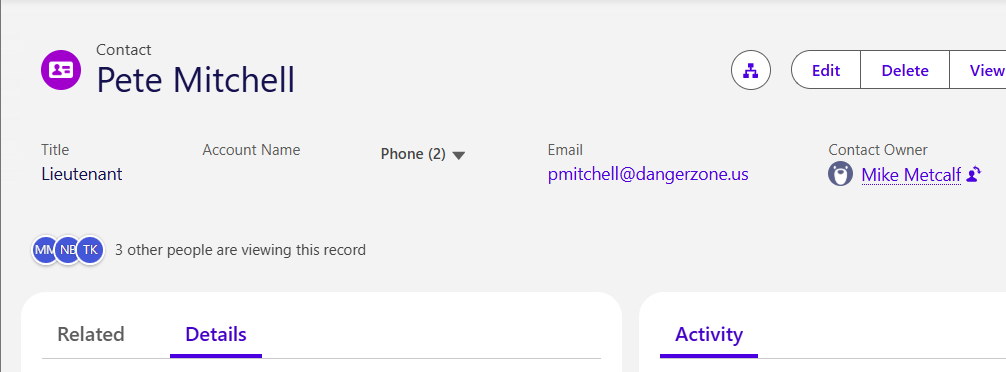
Know before you edit
Avatars show which colleagues have the same record open, so people talk to each other instead of overwriting each other's work.
Every object, no configuration
One component for standard and custom objects alike. Drop it on a record page and it works; there is nothing to map or set up per object.
Light on your org
No custom objects, no data storage, no platform events, no streaming connections, and no calls outside Salesforce.
How it behaves
Accurate about who is really looking
Presence counts a record only while its browser tab is actually visible. Someone with thirty background tabs is not "viewing" thirty records. A colleague appears within about ten seconds of opening a record and disappears shortly after they leave, close the tab or switch away.
Respects your sharing model
A user only ever sees presence on records they can already read. Presence cannot be used to discover that a record exists or that someone is working on it.
Busy records stay readable
Up to ten avatars are shown, then a "+N more" chip that lists the remaining names on hover. Arrivals and departures fade in and out, and are announced to screen readers.
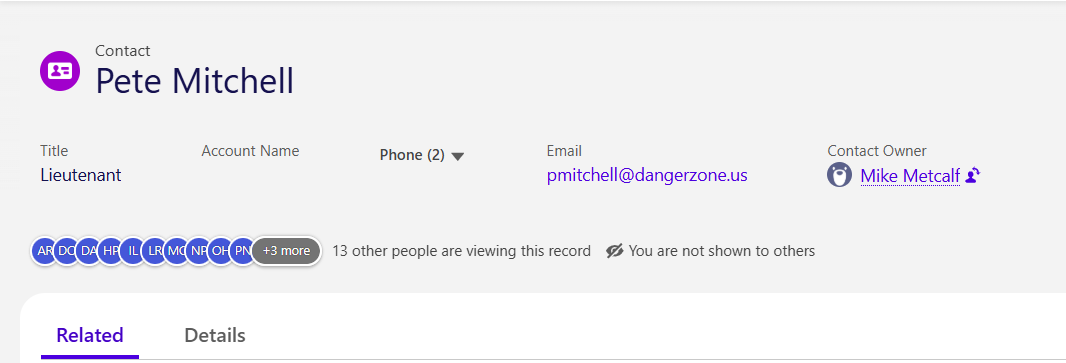
Optional hidden viewing
Some roles need to look at a record without announcing it, such as a supervisor doing quality checks. Administrators can give those users a separate permission set: they see who is on the record but are not shown to others. It is off unless you assign it, it is enforced on the server, and the user sees a clear "You are not shown to others" marker. Whether to use it is your organization's decision.
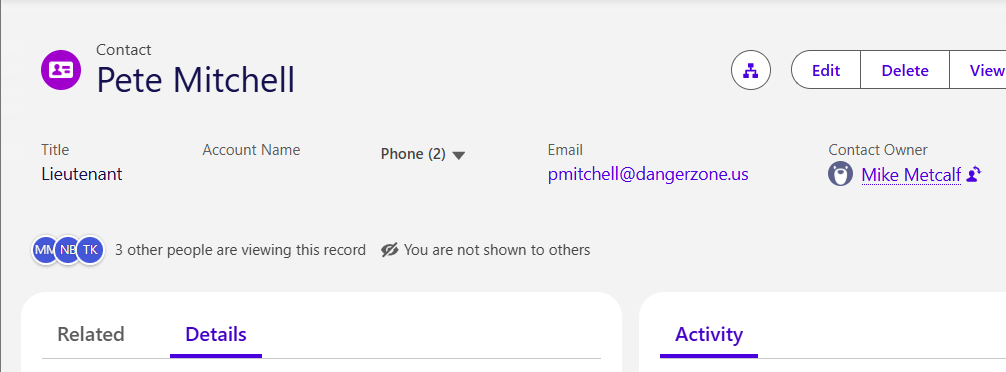
Simple to roll out
- Install from the AppExchange for administrators only, then open the Wingman app from the App Launcher. Its Setup tab checks the next two steps for you.
- Give it capacity and assign a permission set. One setting in Setup, then Presence Indicator User for almost everyone, or Presence Indicator User (Hidden User) for the few who should view unseen.
- Add the component to a record page in Lightning App Builder. Standard or custom object, it works the same.
What it does not do
Wingman shows presence; it does not lock records or block edits. It is for internal users in Lightning Experience, and is not available on Experience Cloud sites.
Support
Wingman is free, and support is by email on a best-effort basis: support@adeptapps.net. When writing, say which version is installed and what the Wingman Setup tab shows.
Use of Wingman is governed by the Terms of Use. What we receive when you install it is described in the Privacy Policy: the app itself sends us nothing. How we build, test and support our apps, and how to report a security issue, is on our Security page.